Enabling DNSSEC on homeblab.com [pt.1]
Overview
Now that homeblab.com’s DNS responses are being served out my authoritative name servers, I’d like to enable DNSSEC.
Why DNSSEC?
Well, DNSSEC is important to prove the integrity and authenticity of a DNS response, especially when MITM attacks could occur on my Ingress infrastructure which I do not physically own, nor have the ability to audit myself. A MITM attack could rewrite DNS responses egressing from my Cloud Router, and allow, for example, an ACME certificate (like Let’s Encrypt) signed by a trusted authority, or poison resolvers with malicious IP addresses.
This also applies to infrastructure which is considered secure, hence why most companies implement DNSSEC, and most resolvers implement DNSSEC as well.
Security Implications
Setting up DNSSEC could be considered a double edged sword if misconfigured.
NSEC Zone Walking (Enumeration of DNS records in a given zone)
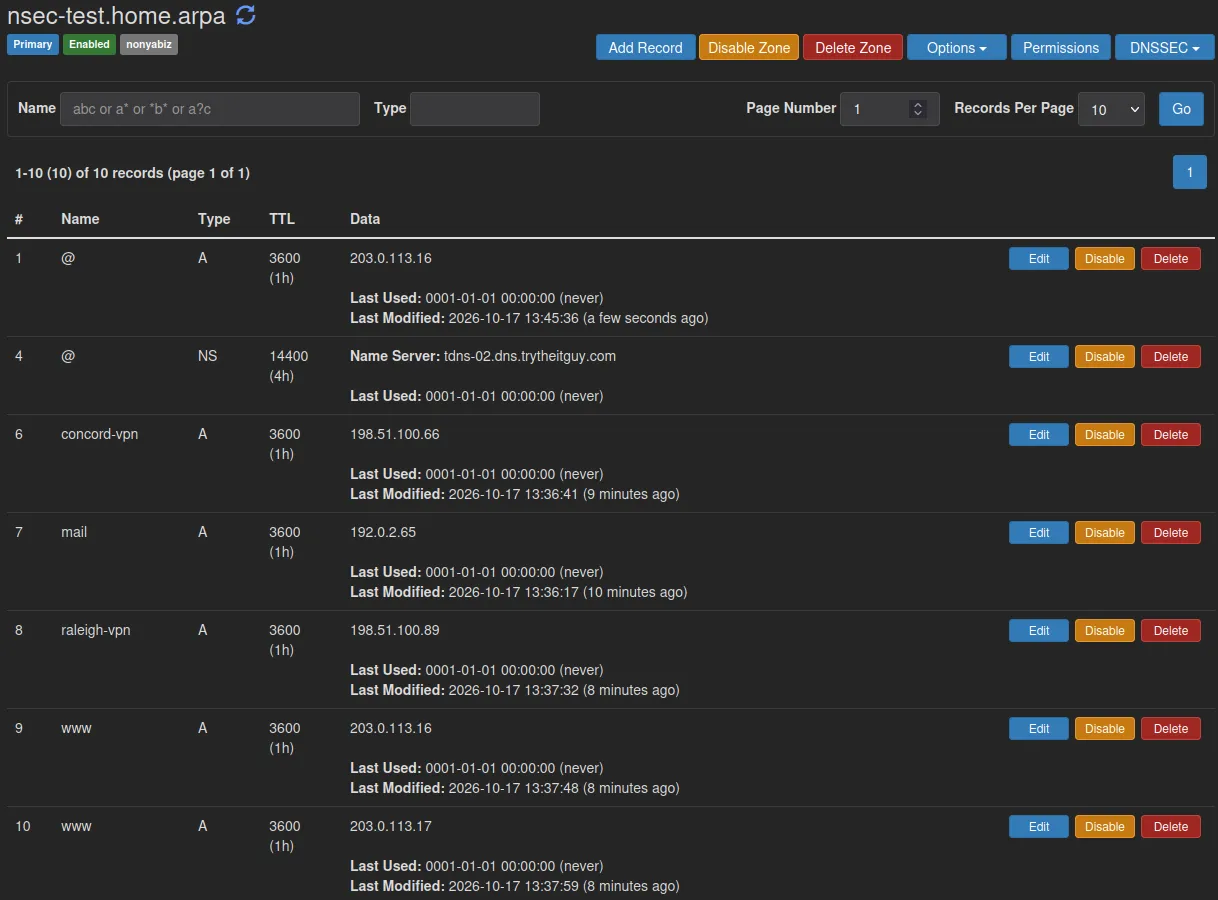
For this example, I create a zone nsec-test.home.arpa on my personal DNS servers and fill it with some example records:
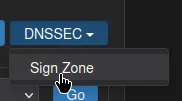
Click Sign Zone under DNSSEC:
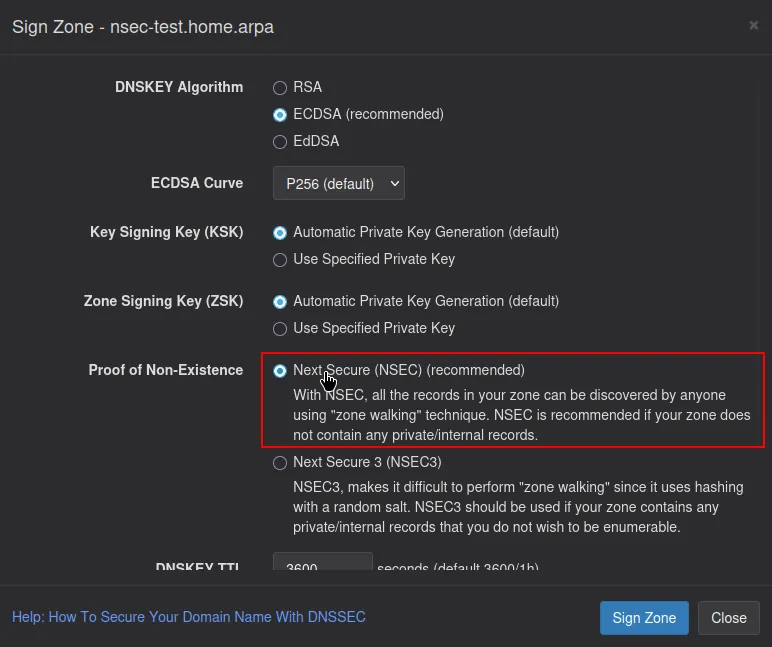
Leave everything default, including NSEC:
Now that the zone is signed, and NSEC records exist:

We can use an NSE script with nmap to walk the domain’s NSEC records:
sudo nmap -sU -p 53 --script dns-nsec-enum --script-args dns-nsec-enum.domains=nsec-test.home.arpa <my dns server IP>
Starting Nmap 7.98 ( https://nmap.org ) at 2026-10-17 13:55 -0400
Nmap scan report for <my dns server IP>
Host is up (0.00055s latency).

PORT   STATE SERVICE
53/udp open  domain
| dns-nsec-enum:
|   nsec-test.home.arpa
|     nsec-test.home.arpa
|     concord-vpn.nsec-test.home.arpa
|     mail.nsec-test.home.arpa
|     raleigh-vpn.nsec-test.home.arpa
|_    www.nsec-test.home.arpa

Nmap done: 1 IP address (1 host up) scanned in 0.67 seconds
Here we have enumerated all of the NSEC records and found concord-vpn.nsec-test.home.arpa and raleigh-vpn.nsec-test.home.arpa, which we might not want to have easily enumerated.
NSEC3 Zone Walking
Let’s unsign the zone, which deletes the NSEC records and sign the zone with NSEC3 (default iterations and salt options) and rerun the test with the NSEC3 NSE script:
sudo nmap -sU -p 53 --script dns-nsec3-enum --script-args dns-nsec3-enum.domains=nsec-test.home.arpa <my dns server IP>
Starting Nmap 7.98 ( https://nmap.org ) at 2026-10-17 14:05 -0400
Nmap scan report for <my dns server IP>
Host is up (0.0043s latency).

PORT   STATE SERVICE
53/udp open  domain
| dns-nsec3-enum:
|     domain nsec-test.home.arpa
|     salt
|     iterations 0
|     nexthash q7qsn1gj9vhuk3p0mge3jiq1mv2vuc5e 7ngd8d84kii6fgl8c69q2eem5nre10o7
|     nexthash 9r48najjbivlo5c8devgjordrgb58hk8 prh1lc4p8kjbn96g6nl5frak765rd3jn
|_  Total hashes found: 5

Nmap done: 1 IP address (1 host up) scanned in 0.71 seconds
We now have hashes instead of plain DNS names.
NSEC3 Hashcat SecLists/Brute force
Let’s try and run Hashcat with Sec Lists subdomains:
hashcat -m 8300 nsec3.hashcat ../SecLists/Discovery/DNS/subdomains-top1million-5000.txtThis was able to pull out mail and www.
Safe to say that NSEC3 will prevent plain text domain enumeration for low effort attacks.
Signing homeblab.com
Enough yapping about security, let’s sign homeblab.com

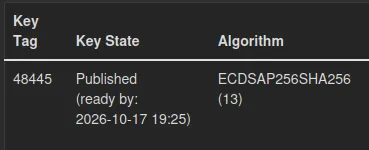
The zone is signed, but to prevent disruption I will have to wait until the timestamp listed before adding the DS records on the registrar
Conclusion
I’ve prepped the homeblab.com domain for NSEC3 DNSSEC.
I did find an issue that stood out while validating DNSSEC on the zone. The NS records for the domain point to the internal service IPs, and cannot be edited due to the cluster configuration of the DNS servers, so I will have to experiment with getting this fixed.