Fixing DNS cluster name servers
Overview
When I set the DNS cluster up, I overlooked the NS records in the homeblab.com zone, they resolve to the internal service IPs for the cluster, it does not appear to be effecting operation, however it is something that should be fixed.
I cannot just edit the SOA Primary Name Server, NS Records, etc. as it is part of the cluster.
Testing the fix
My idea was to remove homeblab.com from the cluster catalog and set adns-02, adns-03 and adns-04 with the homeblab.com domain as a secondary zone with Zone Transfer and Notify setup.
I tested this on another zone and came up with the following:
Taking DNS servers out of service
For this to work soothly, we will have to take the 2nd, 3rd and 4th DNS servers out of service so they do not respond with NXDOMAIN for requests against the zones being modified.
# disable health check service otherwise it will bring anycast back up
systemctl disable --now service-health@dns_anycast

# disable the anycast service
birdc disable service_dns_anycast
Confirm service_dns_anycast is down after a moment and did not come back up:
birdc show proto
BIRD 2.14 ready.
Name                Proto      Table      State  Since         Info
service_dns         Direct     ---        up     19:43:12.225
service_dns_anycast Direct     ---        down   19:47:21.408
Removing the Catalog zone from homeblab.com
Once all of the 3 other DNS servers within the cluster are out of service, we can remove the Catalog zone from the homeblab.com zone.
This removes the zone from the other 3 servers, hence why their anycast addresses were brought down.
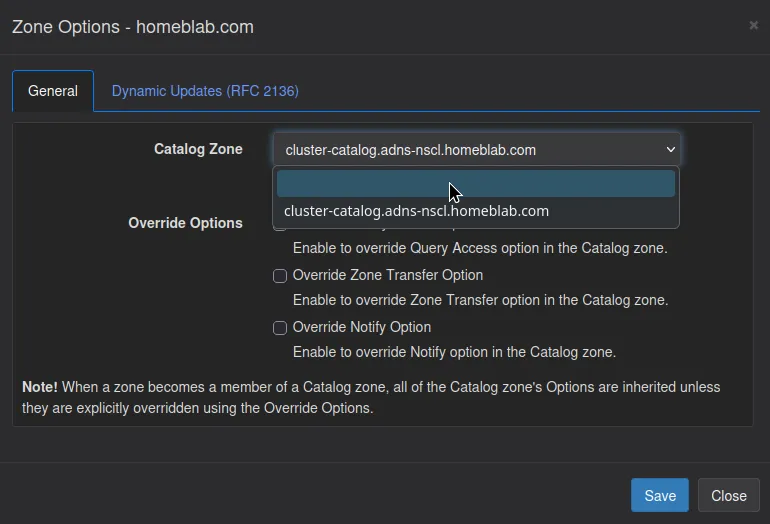
Once this is complete, we get our zone options back as if the zone was never added to a cluster, and most importantly we can edit the SOA and NS records for this zone.
Setting up Secondary Zones, Notify and Transfer
Because the zone is gone from the other 3 servers in the cluster, we have to add it back as secondary zone on each of them. For the zones to sync across the servers, we have to setup Transfer and Notify.
What is Transfer and Notify?
Transfer allows zone syncs to other servers. Notify allows near real-time sync to Secondary zones when any record in the Primary zone changes.
As the servers are still in the cluster, we can easily hop between them and set this up, including TSIG key syncing between the servers!
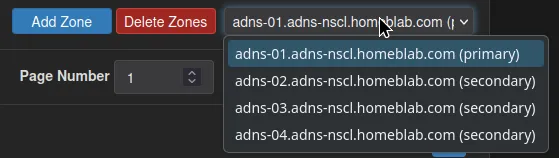
I am not breaking down the cluster, just unclustering some of the zones and setting up Primary/Secondary zones manually.
Creating a TSIG key for Transfer and Notify (primary server):
Under Settings>TSIG:
- Create a TSIG key, keep the shared secret blank:

- Click Save Settings, the Shared Secret will auto populate:

Setting up Zone Transfer (primary server):
-
Under
homeblab.comzone on the primary server, set Zone Transfer to: “Use Specified Network Access Control List (ACL)”: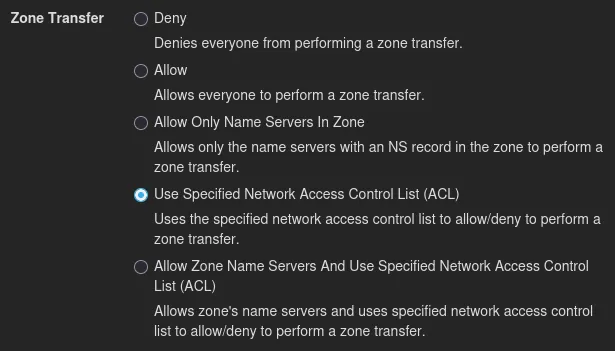 This should be set because our name servers resolve to the public IP of the ingress of CR-01 at the moment
-
Set the ACL to the cluster service IPs:
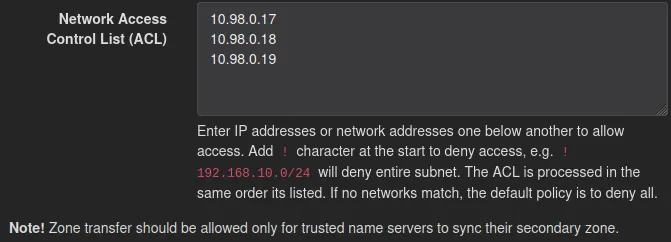
-
Set Zone Transfer TSIG Key Names to the TSIG key we just made in the cluster,
homeblab.com-secondary
Setting up Notify (primary server):
The same sort of setup here:
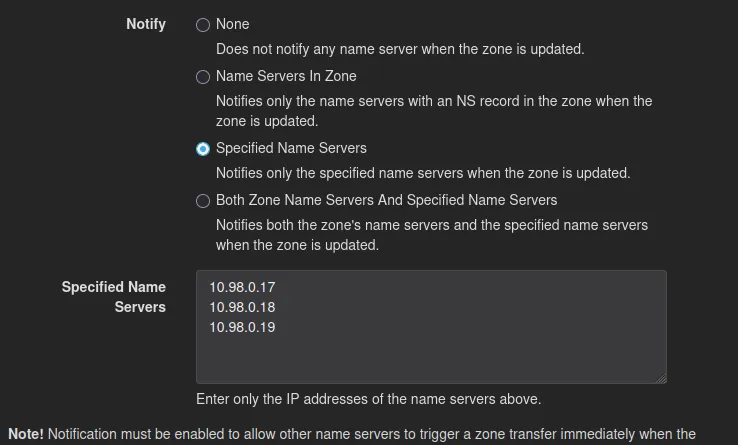
Setting up Secondary Zone (on each server except primary):
- Create a new Secondary zone pointed to the primary on each server except the primary:
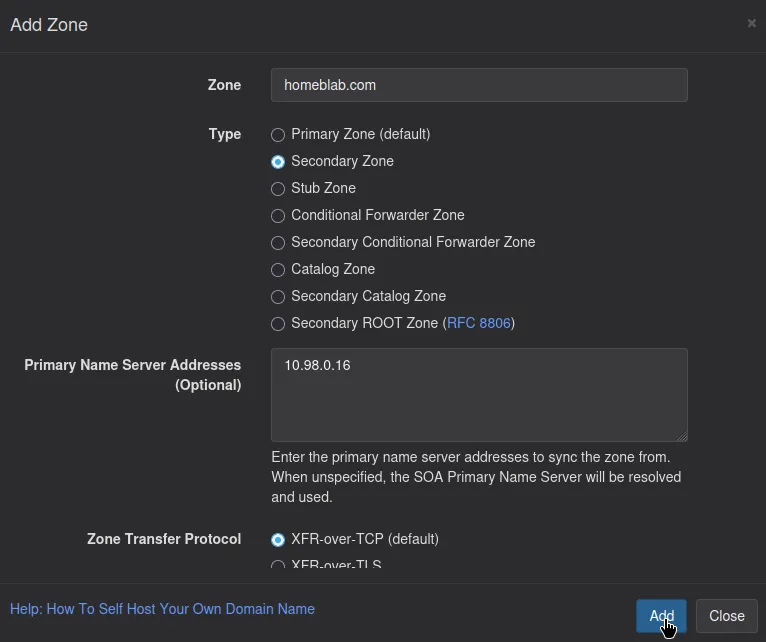
- Ensure to set the TSIG key for Zone Transfer:

- Click
Add
Upon adding the zone, the records should be present.
Testing Real-time sync:
Editing a record on the primary server should trigger a Notify to each server and cause them to complete a Transfer, thus syncing the records.
This was done with a TXT record and was confirmed to be working.
Editing the SOA and NS records for homeblab.com
This is the part that was not able to be done in a clustered zone setup.
We can now edit the SOA and NS records to point to ns1.homeblab.com, ns2.homeblab.com, ns3.homeblab.com, ns4.homeblab.com, and the SOA’s Primary Name Server to ns1.homeblab.com
Bringing DNS Anycast IPs back online
- On the three servers:
systemctl enable --now service-health@dns_anycast*Confirm service_dns_anycast is back up:
Name                Proto      Table      State  Since         Info
service_dns         Direct     ---        up     19:53:50.099
service_dns_anycast Direct     ---        up     20:57:13.539